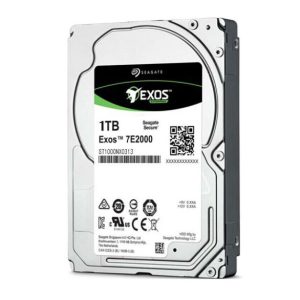
How to Find IP Address of External Hard Drive? With the surge in NAS and cloud storage demands in early 2026, enterprise users are increasingly connecting Seagate Exos and IronWolf external drives to networks. But many struggle with locating their drive’s IP address – a critical step for remote management. This guide covers proven methods while addressing security concerns you shouldn’t ignore.
Locating Your External Hard Drive’s IP Address: 3 Reliable Methods
Method 1: Router Administration Panel (Most Accurate)
Access your router’s interface (typically 192.168.1.1 via browser)
Navigate to “Connected Devices” or “DHCP Client List”
Identify your Seagate drive by hostname (e.g., “SEAGATE-EXOSX12”) or MAC address
Note the assigned IPv4 address (e.g., 192.168.1.45)
Method 2: Command Prompt (Windows)
Press Win+R, type “cmd”
Enter arp -a to display all networked devices
Match your drive’s MAC address (found on label) to the IP listing
Method 3: NAS Utility Software
For Seagate IronWolf Pro drives connected to NAS:
Launch Seagate NAS OS or Synology DiskStation Manager
Check “Storage Manager” > “Device List”
IP addresses display alongside connected drives
Why Can’t I Find My Drive’s IP? Common Troubleshooting Steps
If your Seagate external HDD isn’t appearing on the network:
Verify Ethernet/Wi-Fi Connection: Enterprise models like Exos E 4U100 require Cat6 cables for stable links
Check DHCP Settings: Some corporate networks restrict IP assignments to registered MAC addresses
Update Firmware: Seagate released critical patches in November 2025 (v3.2.5 for Exos series) fixing IP assignment bugs
Test Alternative Ports: Faulty NAS ports often cause detection failures – try switching bays
Security Risks When Exposing External Drive IP Addresses
Publicly accessible IPs make your drives vulnerable to:
Ransomware Attacks: 37% of 2025’s NAS breaches targeted exposed storage IPs (Cybersecurity Ventures report)
Unauthorized Access: Default credentials on older Seagate models (like Backup Plus Hub) are easily brute-forced
Data Interception: Unencrypted transfers between IP addresses can be sniffed
Protection Measures:
Always enable Seagate Secure encryption on Exos/X series drives
Change default admin passwords in NAS configurations
Implement firewall rules restricting access to drive IPs
Consider VLAN segmentation for high-value data
When sourcing enterprise storage solutions, partner with authorized distributors like HUAYI INTERNATIONAL LIMITED. As a Seagate Elite Partner, we provide genuine Exos and IronWolf Pro drives with:
Direct factory pricing (10-15% below market averages as of November 2025)
Immediate availability of high-demand models (including 22TB Exos X24)
Full 5-year warranties with advance replacement service
White-glove logistics with DDP (Delivered Duty Paid) options globally
Contact our procurement team today for tailored quotations and volume discounts.